
Hello friends, how are you all? I hope you are all well. If you also use AI, then you must have definitely heard of the word “AI Automation“.
But most people don’t know what AI automation is, why people want to use AI Automation, what are its benefits and the main how to use Ai to automate tasks.
So no problem, i will tell you answers of these all question in this article.
What is AI Automation
We give simple instructions to the AI to do this task, and then the AI automatically performs that task according to our instructions.
AI doesn’t just follow instructions, but can also make decisions in some situations, but it depends on how we set up the AI system.
We have another type of automation which we call traditional automation. If we talk about AI automation, then AI automation is completely different from traditional automation.
Difference between Ai Automation & Traditional Automation
AI Automation: In AI Automation, AI can take decisions automatically by understanding instructions given by user.
For example, if you are a businessman and you want customers’ messages to be automatically replied while you are sleeping, then AI can help you with this situation.
AI can understand the customer’s message and respond accordingly, but it depends on what kind of instructions you have given it and how you have set it.
Traditional Automation: In Traditional Automation, system cannot make decisions on its own.
You have to set in advance what task to do when. When that time or condition arrives, the AI does only what you have set. It have not any extra decision.
If we talk about an example, an alarm clock can be the best example of traditional automation. In this situation, we set the alarm time and when that time comes, the alarm goes off.
Examples of Ai Automation
Youtube Content Suggestion
When we use YouTube, YouTube gives us video suggestions. These suggestions are given by looking at our watch history, recent searches, likes, and other activities.
YouTube uses AI automation which automatically predicts what type of content a user might like.
Facelock
When we use Face Lock on our phone, the phone scans our face and saves it. When we try to unlock the face again, the AI scans our face and matches it with the saved face data. If the face matches, the phone unlocks, otherwise it does not unlock.
All of this is possible because of AI automation.
Why people want Ai Automation
The answer to this question is simple: no one wants to do unnecessary work.
Everyone wants some tasks to be done automatically so that time and effort can be saved.
That’s why people want to use AI automation. With the help of AI automation, we can get some tasks done automatically by AI and we don’t have to do that work ourselves every time.
But this does not mean that AI can do everything completely. This is not possible. Some tasks AI can do and some it cannot. But for important tasks, human involvement is necessary.
AI works only according to human instructions. That’s why we have to give the AI the right instructions so that it can perform the task correctly.
Benefits of Ai Automation
Save Time
The most important benefit of AI automation is that it save time.
AI is a simple computer program that works much faster than than humans. With its help, we can do more work in less time.
Reduce Repetitive Task
If a task is repeated frequently, its automating with AI may be the best option.
For example, if you have to reply to many customer messages every day, you can automate this task with the help of AI automation.
This way, you won’t have to do the same task manually again and again.
Reduce Cost
AI automation also reduces the the cost. If you perform a task by a person, you have to pay for it.
The same task can be performed automatically with AI automation, which can save costs.
Reduce Human Errors
We are human and we can make mistakes, but AI is a computer program that works according to given instructions.
If we give correct instructions to Ai, it will work according to those instructions that we given. But it depend that what instruction we gave to AI. In this way it can reduce human errors.
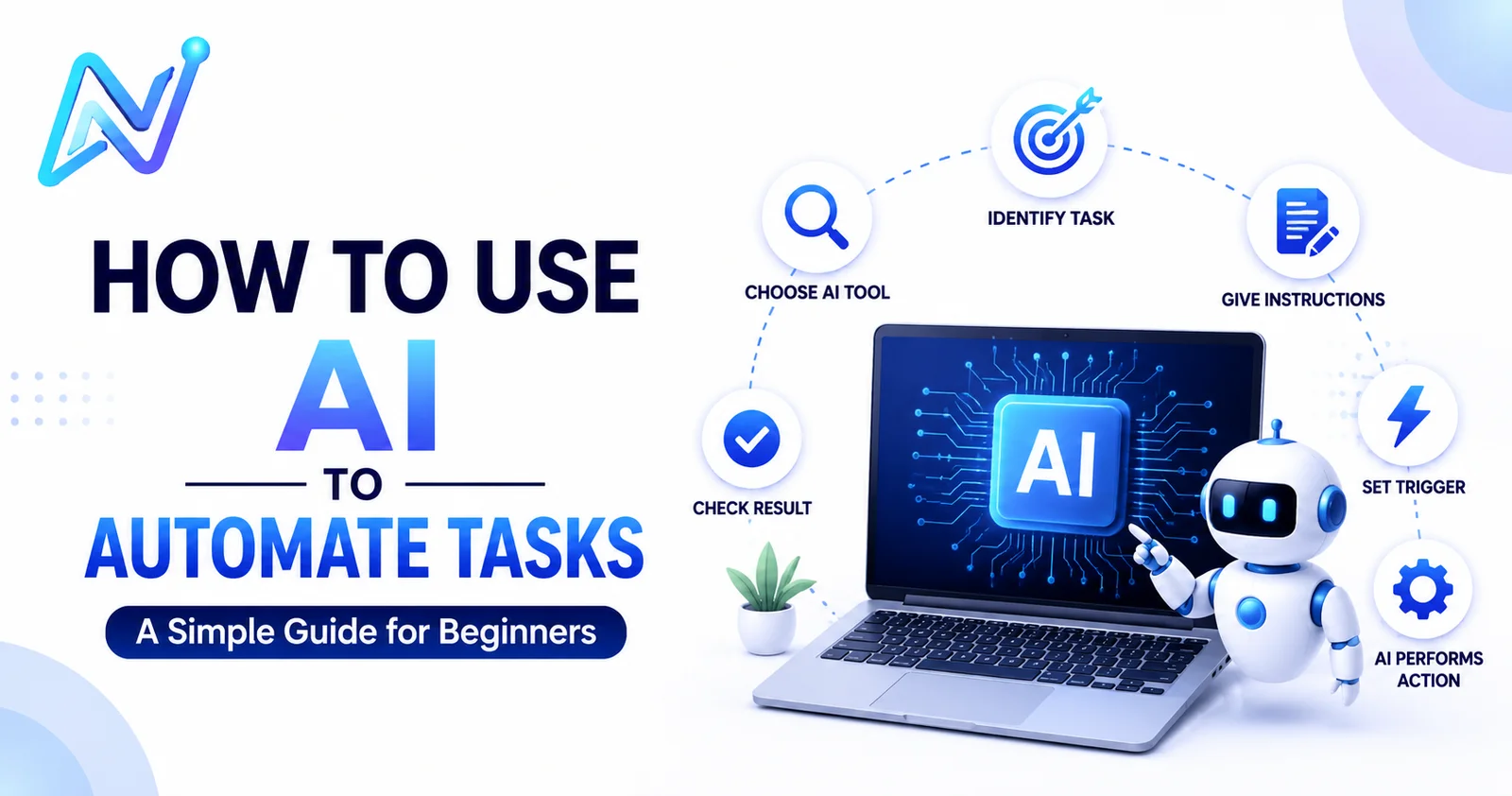
How to use Ai to Automate Task
1.Identify the task
First of all, we have to identify what work we want AI to do.
First we will think about what kind of work we do repeatedly. Then we will think about whether we want to do this work repeatedly.
Then we can select an AI tool that can perform this task automatically, even when we are not available.
Let’s understand this with an example.
For example. If you are a business owner and customers send you messages repeatedly, you want a tool to automatically reply to these messages. This way, we can first identify our task.
2.Choose the right Ai tool
Once you have identified the task, your next step is to select the right AI tool. The selection of AI tool is very important in this situation, because not every AI tool is suitable for every task.
For example, if we talk about the previous example, in which we have to provide automatic replies to customer messages, then tools like “Chatgpt” and “Gemini” can be use for this task.
Give Instructions
Now our main task begins, and that is to give instructions to the AI.
AI works according to the instructions that are given. That’s why, we have to clearly tell AI what we want it to do.
For example, in the case of automatic customer replies, we can instruct the AI that if a customer sends a message, it should understand the message and respond accordingly.
This is just a simple example. For actual automation, we have to give proper instructions according to the task.
Set A Trigger
Set-trigger means deciding when automation will start. Means, when a specific action or event occurs, the AI starts its work.
For example. If we look at the previous example, when a customer sends a message to the business owner, so this event can be a trigger for automation.
As soon as the customer’s message arrives, the AI will start its task and respond according to the given instructions.
In Simple Words, a trigger is the event that starts automation.
AI Perform the Action
After setting the trigger, the AI performs its task. Means, when the trigger occurs, the AI performs the action according to the given instruction.
For example, the customer sends a message. The trigger is activated. And then the AI understands the customer’s message and applies it accordingly.
Check the Result
Checking the results is the last step. In this step, we have to check whether the AI is working properly or not.
For example, first the customer will send a message. Then the trigger will start the automation. And after that the AI will reply according to the instructions.
If the AI’s reply is correct, then there is no problem. But if the AI makes a mistake or gives a wrong reply, then we have to improve our instruction so that the AI can give better results next time.
In simple word, Run the automation then check the result, if it is correct, then continue using it, if there is a problem, improve the instructions that we given to the AI and then test it again.
Conclusion
AI automation means performing a task automatically with the help of AI. If we want to use AI for a task, first we have to identify the task.
After that, we have to choose the right AI tool, And give the AI proper instructions according to the task, Then we have to set the trigger to start the automation.
After being triggered, the AI performs its task according to the given instructions, After that, we have to check the result, Whether the AI is working properly or not.
If the result is correct, the automation can be continued. If there is a mistake, we can improve the instruction and retest the automation.
After following all these steps, you can automate tasks with AI.
My advice is that if you want to start AI automation, start with the basics.
I hope you liked this article. If you have any questions, you can ask me by commenting in the comment box below.
Thanks!!

